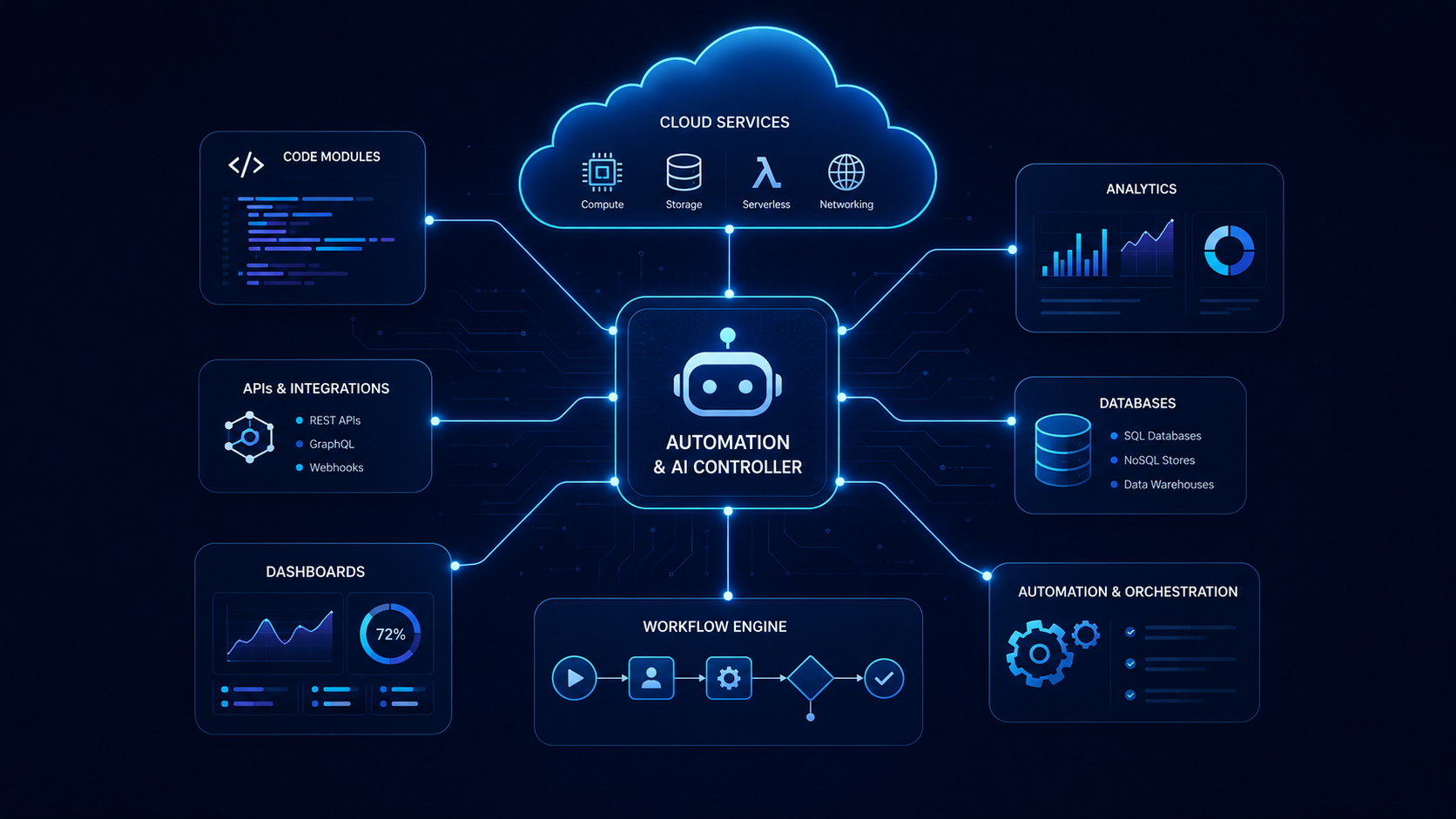
Automation, cloud setup, integrations, deployment support, backups, and workflow connections that help your business reduce repeated work and move information with less manual effort.
Automation should remove busywork, not create more confusion
This service is for businesses that want cleaner handoffs between forms, email, files, cloud tools, CRMs, databases, dashboards, alerts, reports, and deployment environments. NxtGenGuard helps you map what should happen, connect the right pieces, and document how the workflow should be supported after launch.
This page is not a checkout page. You can build a request, choose a starting point, and add demo or support options before continuing to contact. We confirm scope, price, timeline, credentials, third-party costs, and payment details before any paid work starts.
Build your Automation & Cloud request in 3 steps
Step 1Pick the automation path
Step 2Pick the starting point
Step 3Add demo, support, or growth options
You can choose everything on this page first. When you continue, your selected automation path, starting point, budget range, demo option, estimated demo amount, timeline, credit note, and optional add-ons are included with your contact request.
Step 1: choose the automation path you need
Choose the option closest to what you want connected, automated, deployed, or cleaned up. If your needs overlap, start with the closest match and include the other details in your request.
Task flow
Repeated task automation
Best when your team repeats the same manual actions and needs a cleaner trigger, action, notification, or handoff flow.
Manual task review
Trigger and action mapping
Email, status, or reminder flows
Simple testing and support notes
Suggested start: $750–$3,500+
Forms
Form-to-workflow automation
Best when a form should create a record, send an alert, route a request, update a table, or start a follow-up process.
Form routing and notifications
Record creation and field mapping
Ticket, email, or database handoff
Confirmation and testing flow
Suggested start: $1,500–$7,500+
Integrations
Tool / API integration
Best when two or more tools need to exchange information through an API, webhook, scheduled sync, or custom connection.
API and webhook planning
Field mapping between systems
Error handling and test cases
Connection documentation
Suggested start: $3,500–$15,000+
Cloud
Cloud setup and deployment
Best when you need hosting, deployment structure, environments, app setup, cloud storage, or launch support for a web tool.
Cloud environment planning
Deployment checklist
Domain, storage, or app setup support
Launch and rollback considerations
Suggested start: $2,500–$12,000+
Resilience
Backup, storage, and environment structure
Best when you need a clearer way to organize files, backups, cloud storage, staging areas, or recovery-friendly workflows.
Backup and storage planning
Folder and permission structure
Environment separation notes
Maintenance recommendations
Suggested start: $1,500–$8,500+
Not sure yet
Automation cleanup, map, and recommendation
Best when you know the workflow is messy but need help deciding what should be automated, connected, removed, or rebuilt first.
Workflow review and bottleneck notes
Automation opportunity map
Tool and cloud recommendation
Budget range before build starts
Suggested start: $350–$1,500
Step 2: choose your Automation & Cloud starting point
These are starting points, not fixed checkout packages. Final pricing is confirmed after we review tools, data, credentials, access, security needs, third-party costs, testing, and support expectations.
Plan first
Automation Discovery + Blueprint
Best when you need the workflow mapped before building.
Best for one focused automation or a small workflow connection.
$2,500–$7,500
One core workflow, setup/configuration, testing, documentation, and handoff notes.
Connected flow
Connected Cloud Workflow
Best for multi-step automations, cloud setup, tool connections, and operational handoffs.
$7,500–$18,000
Multiple steps, forms, notifications, storage or cloud setup, testing, and launch support.
Custom scope
Custom Automation & Cloud System
Best for advanced integrations, protected workflows, deployment structure, dashboards, or deeper cloud-connected systems.
$18,000–$35,000+
Custom scope, integration planning, cloud environments, testing, documentation, and support structure.
Choosing a starting point starts a request; it does not charge you. Third-party tools, cloud usage, paid APIs, software subscriptions, usage fees, SMS/email sending fees, domains, hosting, storage, and licensing are separate unless they are included in the final proposal.
Step 3: choose a demo, support, or growth option
A demo is optional. It helps you review direction before committing to a larger build. Maintenance and growth support are optional add-ons for workflows that need monitoring, updates, new automations, or future cloud changes after launch.
Optional demo before the full build
Free call
Free fit call first
Best when you want to explain the workflow and confirm whether a paid demo or build makes sense.
$0 todayNo demo files
$0
Fast preview
Automation flow snapshot
Best for a simple visual workflow map or sample screen direction before approving a build.
$350 today2–3 business days1 small polish pass
$350
Recommended
Workflow blueprint + clickable demo
Best when you want a clearer demo package with workflow direction, sample screens, and a scope call.
$950 todayWithin 5 business days1 grouped revision round
$950
Advanced demo
Technical proof-of-concept
Best when you need a deeper test concept, sample integration direction, or working proof before a larger build.
$2,500 today7–10 business days2 grouped review rounds
$2,500
Optional maintenance and growth add-ons
Maintenance
Automation Care & Monitoring
Support for light workflow checks, small updates, troubleshooting, and automation health review.
$250–$950/mo
Cloud care
Cloud Support & Updates
Support for deployment notes, environment updates, cloud settings, backup review, and usage guidance.
$500–$1,500/mo
Growth
Workflow Growth Support
Monthly support for new triggers, reports, notifications, small integrations, and workflow improvements.
$750–$3,000/mo
API add-on
New integration or API connection
Add a new connected tool, webhook, API route, sync, or custom handoff after the original scope is approved.
$2,500–$12,000+
Alerts
Scheduled reports, notifications, or alerts
Add automated emails, reminders, status alerts, summary reports, or event-based messages.
$750–$4,500+
Handoff
Documentation, training, and handoff
Training and written instructions so your team understands how the automation or cloud setup should be used.
$150–$350/hr
Your request summary
Review your selections before continuing. The contact form receives these details so we can respond with the right next steps.
PathNot selected yet
Starting pointNot selected yet
Demo optionOptional — not selected
Add-onsNone selected
Estimated demo due today$0 — no paid demo selected on this page.
No payment is collected on this page. We confirm paid demos through the contact form, a call, and an invoice/payment link before work starts. Your demo fee covers workflow thinking, tool review, connection planning, review preparation, and a clean review-ready demo package.
Paid demo process, review rules, and scope protection
A paid demo helps you see a direction before a larger Automation & Cloud build. It is designed to clarify scope, not replace the full build.
Fit call firstWe confirm the workflow, tools, access needs, goals, and what the demo should prove before any demo invoice is approved.
Demo fee upfrontThe selected demo amount is confirmed by invoice/payment link. When credit is offered, it can be applied to the main build within the stated approval window.
Demo deliveryWe deliver the agreed demo package based on the selected option. It may include maps, sample screens, a click-through concept, or proof-of-concept notes.
Grouped reviewIncluded demo revisions must be sent as one grouped list. Extra demo revision rounds usually start around $250–$750 depending on the requested changes.
A demo is not a production automation, live deployment, live API connection, secure production system, active cloud environment, final source-code delivery, or managed service unless a separate written scope says so.
Scope, revisions, and change requests
Automation and cloud projects need clear boundaries so your build stays affordable and predictable. New ideas are welcome, but new features are priced before work continues.
Scope confirmationWe confirm the selected workflow, tools, triggers, actions, data fields, permissions, cloud needs, and delivery priorities before build work starts.
Blueprint reviewYou review the workflow map, demo, or technical direction and send changes as one grouped list.
Working reviewYou review the build in progress and send one grouped revision round for included items.
Change requestsNew tools, new workflows, new integrations, extra alerts, or major changes after approval are quoted as add-ons before they are built.
A revision adjusts approved work. A change request adds new work. For example, changing an email subject line can be a revision; adding a new connected app, new approval path, new cloud environment, or new automated report is usually a change request.
What affects Automation & Cloud pricing?
Pricing depends on how many tools, workflows, data fields, credentials, environments, alerts, users, and testing steps the project needs to support.
Workflow complexity
Simple trigger-and-action flows cost less than multi-step workflows with conditions, approvals, retries, routing, and error handling.
Connected tools
Pricing increases when the workflow needs multiple apps, APIs, webhooks, CRMs, spreadsheets, databases, forms, ticketing tools, or custom systems.
Cloud environments
Deployment structure, staging, production settings, domains, storage, backups, logs, and launch planning can change the scope.
Data mapping
Clean automations need correct fields, formats, validation, duplicate handling, naming rules, and fallback steps.
Security and access
Credentials, API keys, private data, user permissions, admin access, and protected workflows require more careful planning.
Support after launch
Ongoing monitoring, bug fixes, small improvements, new triggers, tool updates, and training can be handled through a support option.
Common add-on pricing examples
These examples help set expectations when you want to add more after the original scope is approved.
Small copy, label, or alert adjustmentUsually starts around $100–$350 when it is a simple change.
New automation stepUsually starts around $350–$1,500 depending on logic, testing, and tool behavior.
New notification or scheduled reportUsually starts around $750–$4,500 depending on data and format.
New form-to-system workflowUsually starts around $1,500–$6,500 depending on fields, routing, and records.
New API, webhook, or connected appUsually starts around $2,500–$12,000+ depending on the connected system.
New cloud environment or deployment flowUsually starts around $2,500–$10,000+ depending on hosting, access, and testing.
Every automation is scoped before pricing is finalized. Smaller updates can stay affordable, while new integrations, environments, reports, and workflow branches are priced separately so your original project does not keep expanding without approval.
What we can build or configure
Automation planning for repeated tasks, approvals, handoffs, and alerts
Form-to-email, form-to-ticket, form-to-database, and form-to-dashboard workflows
API, webhook, and integration planning between approved tools
Cloud setup, deployment support, hosting structure, and launch checklists
Backup, storage, folder, and environment organization
Scheduled reports, notifications, reminders, and status updates
Documentation for how the automation should run, be tested, and be maintained
Best for
Teams repeating the same tasks every day
Businesses connecting forms, CRMs, email, databases, dashboards, or reporting tools
Companies that need cloud-hosted apps, forms, dashboards, or internal tools
Owners who want cleaner handoffs and less manual tracking
Teams that need documentation, testing, and a support plan after launch
How the service works
Step 1You choose an automation path, starting point, and any demo or support options.
Step 2We review the current workflow, tools, access needs, data fields, cloud requirements, and bottlenecks.
Step 3We confirm scope, demo payment if selected, proposal details, review rounds, third-party costs, and next steps.
Step 4We build, configure, connect, test, document, train, and support the automation based on the approved scope.
Possible deliverables
Automation workflow map and bottleneck summary
Trigger, action, condition, and notification plan
Integration map, API notes, field mapping, and test checklist
Cloud setup notes, deployment checklist, and environment recommendations
Backup, storage, and access structure recommendations
Demo package, proof-of-concept notes, or build-ready blueprint if selected
Training notes, handoff guide, and maintenance/support plan
Ready to reduce repeated work and connect your tools?
Build the request above, choose a demo option if you want one, or ask for a recommendation. We can help map the workflow before building so the automation stays clear, useful, and easier to support.